SEO-friendly web development makes everything else in SEO easier. Great content and links cannot fully overcome a site that is slow, hard to crawl or confusing on mobile. These are the seven development mistakes we fix most often at Savoir Management, with the practices that prevent them.
Why are web development and SEO inseparable?
Search engines must crawl, render and understand your pages before they can rank them. Development decisions about structure, speed, links and code determine whether that happens smoothly.

Google's SEO Starter Guide covers the fundamentals every developer should know.
Mistake 1: Are you ignoring mobile optimization?
Google mainly uses the mobile version of your site for indexing and ranking. If content, links or structured data are missing or broken on mobile, rankings suffer.
Follow Google's mobile-first indexing best practices. Read our mobile-responsive development guide.
Mistake 2: Is your site too slow?
Slow pages hurt users and page experience. Oversized images, heavy JavaScript and slow servers are the usual causes.

Aim for good Core Web Vitals and check PageSpeed Insights. See our site speed guide.
Mistake 3: Is your URL structure weak?
Long, parameter-heavy or frequently changing URLs confuse users and search engines. Use short, descriptive URLs and redirect any URL you change.
Use 301 redirects for moved pages, especially during a website redesign.
Mistake 4: Are you neglecting on-page SEO elements?
Every page needs a unique, descriptive title, a single clear H1, logical subheadings, a helpful meta description and descriptive image alt text.

Google explains how it creates title links and snippets.
Mistake 5: Do you have duplicate or thin content?
Near-identical pages and pages with little useful content dilute rankings. Consolidate duplicates, use canonical tags and make each page genuinely helpful.
See Google's guidance on consolidating duplicate URLs and creating helpful content.
Mistake 6: Is your internal linking weak?
Internal links help search engines discover pages and understand topics. Link related articles and services with descriptive anchor text using standard, crawlable links.

Google requires crawlable links built as standard HTML anchor elements with an href.
Mistake 7: Are you skipping security and HTTPS?
Sites without HTTPS show browser warnings, lose trust and miss part of Google's page experience signals. Secure every page and keep software updated.
Read Google's page experience guidance and protect sites against the OWASP Top 10.
How do these mistakes impact brand visibility?
Each mistake reduces how many pages get indexed, how well they rank and how many visitors convert. Together they can make a strong business nearly invisible in search.
Which SEO-friendly practices actually work?
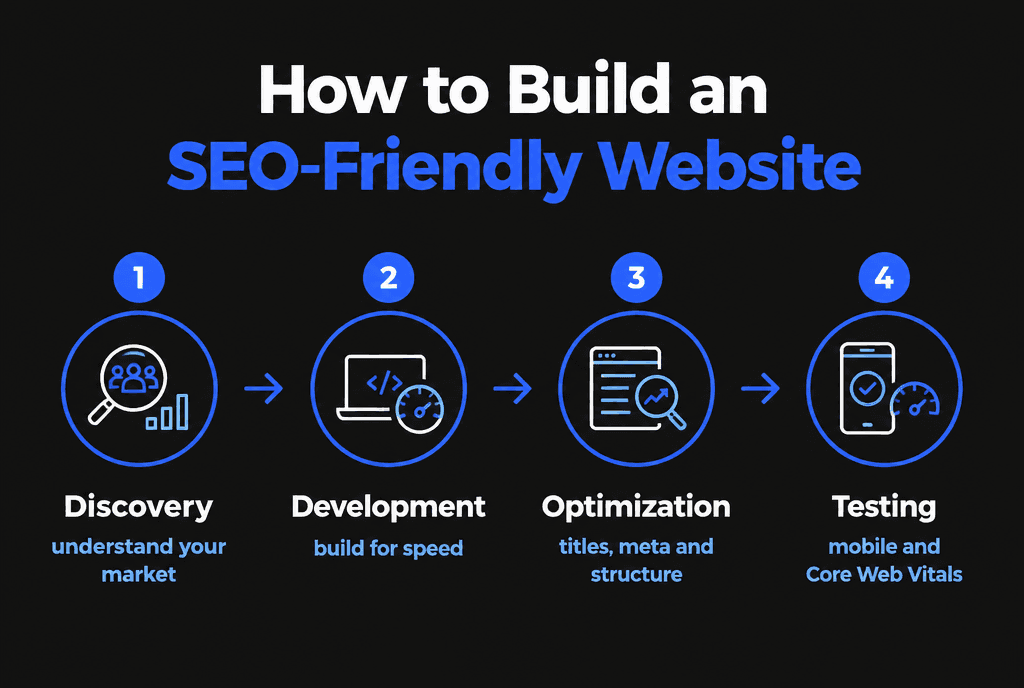
Build mobile-first, set performance budgets, plan URLs and redirects, write unique on-page elements, add structured data, link related content and test with Search Console before and after launch.
How does Savoir Management build SEO-friendly websites?
SEO is part of our build process: sitemap and URL planning, semantic templates, speed budgets, structured data, internal linking and launch checks.
Read our guides to SEO-optimized web development and the website launch checklist. Our web development team builds SEO-ready sites.